
Monthly Financial Reporting Services
What is Monthly Financial Reporting For A medical Practice?
Monthly financial reporting is a structured month-end review that shows how much you billed, collected, and are still owed broken down into actionable categories. For most clinics, the most useful monthly package includes: accounts receivable (A/R) aging by payer and by patient, collections and adjustments summaries, denial and rejection trends, payer mix, and a reconciliation check that your posted payments align with cash/deposits.
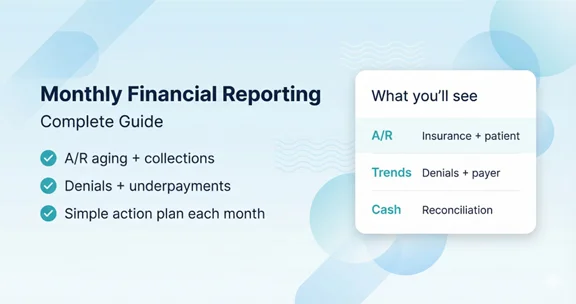
Table of Contents
What is Monthly Financial Reporting?
Monthly financial reporting turns your billing and payment activity into a clear view of performance. The purpose is simple: help you spot what’s working, what’s slowing collections, and what needs action next month.
Why Monthly Reporting Matters for Clinics
Without consistent monthly reporting, cash flow problems are easy to miss until they become urgent. A predictable report cadence helps you catch issues earlier like rising denials, underpayments, or A/R aging drift before they damage revenue.
Core Reports You Should Review Every Month
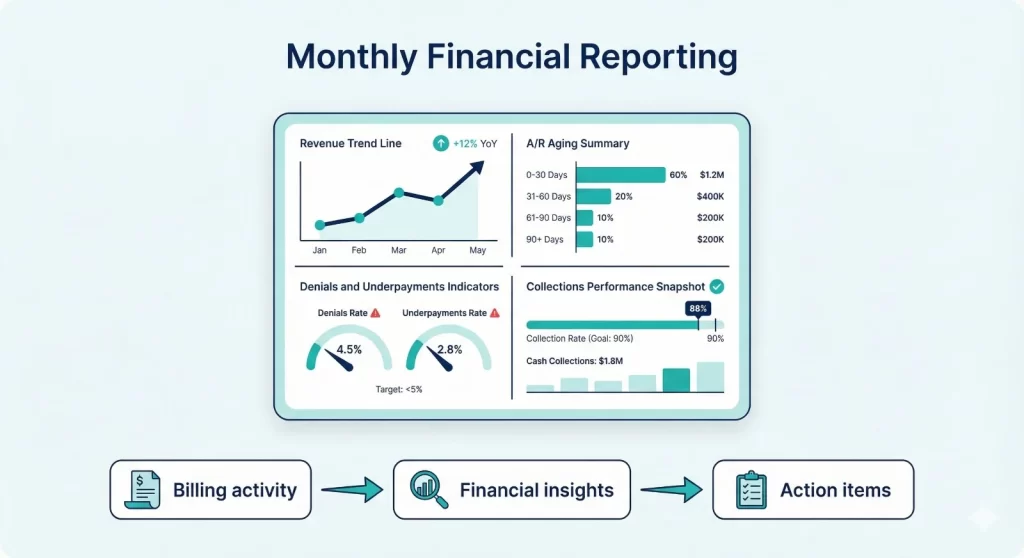
- Collections summary (insurance + patient): Summarize total collections for the month and compare against recent months. Split insurance and patient collections so you can see where changes are coming from.
- Adjustments and write-offs: Review total adjustments and categorize them (contractual vs. administrative vs. true write-offs). Clear categories prevent accidental “hiding” of denials as adjustments.
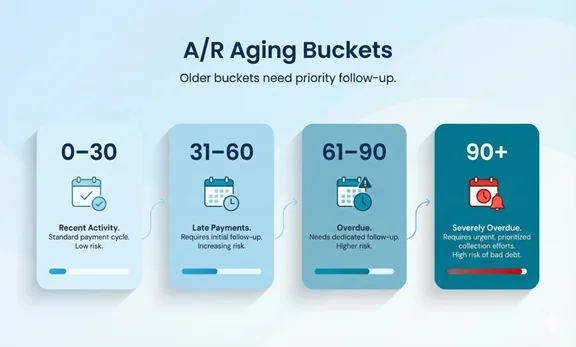
- Accounts receivable (A/R) aging: A/R aging shows how long balances have been outstanding. Review insurance A/R and patient A/R separately, and focus attention on older buckets.
- Denials, rejections, and underpayments: Track denial and rejection volume, top reasons, and the aging of unresolved items. Underpayments should be flagged when paid amounts differ from expected allowed amounts.
- Payer mix and payer performance: Payer mix shows where revenue is coming from. Pair it with payer performance (A/R days, denial rate, appeal success) to understand which payers cause slowdowns.
Revenue Cycle KPIs to Track
Use a small KPI set that stays consistent month-to-month. Below is a practical set used in many medical billing and revenue cycle programs.
| KPI | What it tells you | Common action |
|---|---|---|
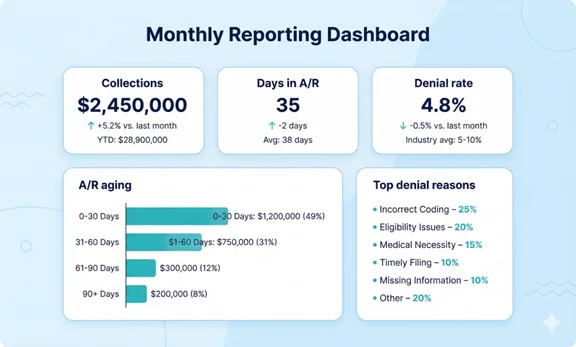
| A/R aging (0–30, 31–60, 61–90, 90+) | Where money is getting stuck by age bucket | Work oldest payer queues and fix root causes |
| Days in A/R | Speed of collections | Increase follow-up cadence and resolve rejections faster |
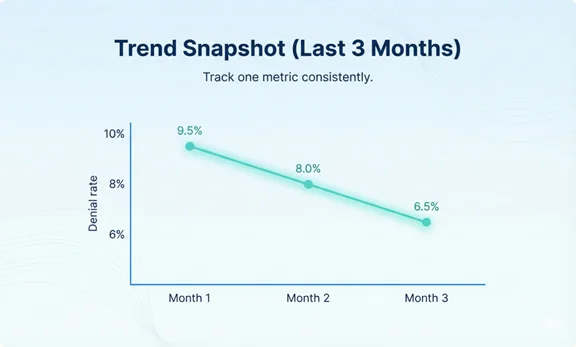
| Denial rate and top denial reasons | Where claims fail after submission | Update front-end checks and documentation rules |
| Net collection trend | How much collectible revenue is actually collected | Investigate underpayments and adjustment mapping |
| Unapplied cash total | Payments not matched to claims | Reassociate EFT/ERA and clean posting exceptions |
Month-End Close: Step-by-Step Workflow
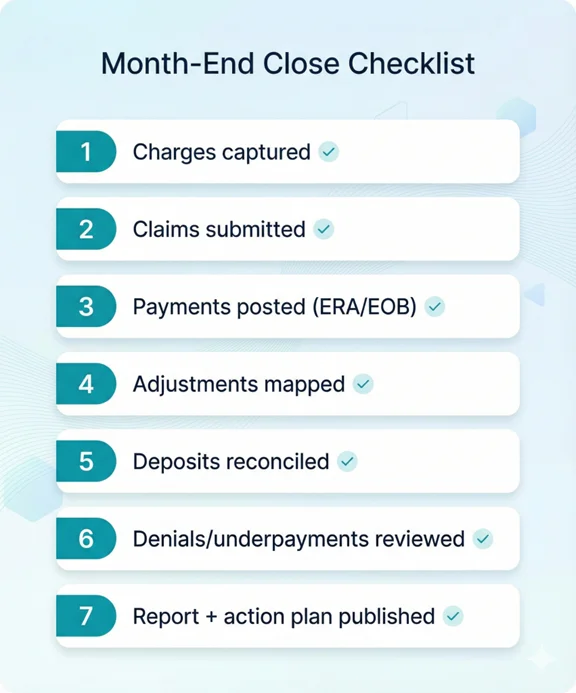
- Confirm all charges and claims for the month are submitted: Make sure late charges are captured and claims are submitted promptly. Keep a list of exceptions.
- Post payments and adjustments consistently: Post ERAs/EOBs and apply adjustments using consistent categories. Route denials and partial payments to worklists.
- Reconcile deposits to postings: Confirm posted payment totals align with bank deposits/EFT totals. Investigate offsets, missing ERAs, and posting variances.
- Review A/R aging and prioritize follow-up: Split insurance and patient A/R. Assign clear owners and deadlines for the oldest buckets.
- Summarize denials, underpayments, and trends: Report top denial reasons, appeal status, and underpayment opportunities by payer.
- Publish the monthly report + action plan: End with a simple list of the top priorities for next month (3–5 items) so your team knows what to execute.
How to Read the A/R Aging Report
A/R aging is most useful when you
- Separate insurance vs. patient balances.
- Look at percentages, not only dollars.
- Compare trends month-to-month.
A rising 90+ bucket is a signal that follow-up or documentation issues need attention.
Data Sources and Setup Requirements
A clean monthly report depends on consistent data inputs. Common sources include:
- Practice management/EHR billing reports (charges, claim status, adjustments)
- Clearinghouse reports (rejections, acceptance, ERA availability)
- Payer portals (claim status, appeal outcomes)
- Bank deposits/EFT logs (for reconciliation)
- Patient payment system reports (if you accept card/ACH payments)
Security, Privacy, and Compliance Notes
Monthly reports often contain protected health information (PHI). Use role-based access, least-privilege permissions, audit trails, and secure file sharing. If vendors access PHI, establish appropriate agreements and access controls.
If your clinic accepts card payments, use PCI-aligned systems and avoid storing sensitive card data in non-compliant tools.
How Claim N Billing Delivers Monthly Reporting
We deliver monthly reporting as a package you can actually use: clear summaries, trend lines, and a short action list. Our reporting typically includes A/R aging, collections and adjustments, denials and rejections, underpayments to review, payer mix, and reconciliation checks.
What you get
- Monthly executive summary (what changed and why)
- A/R aging by payer and by patient, with the oldest items highlighted
- Collections + adjustments summary, with clear categories
- Denial and rejection trends (top reasons + aging worklists)
- Payer mix and payer performance snapshot
- Simple action plan for next month (3–5 priorities)
Frequently Asked Questions
Ready to Gain Clear Insight Into Your Monthly Revenue?
Let’s walk through your current workflow and show you how we can support your practice.
Your billing should be as reliable as your care.